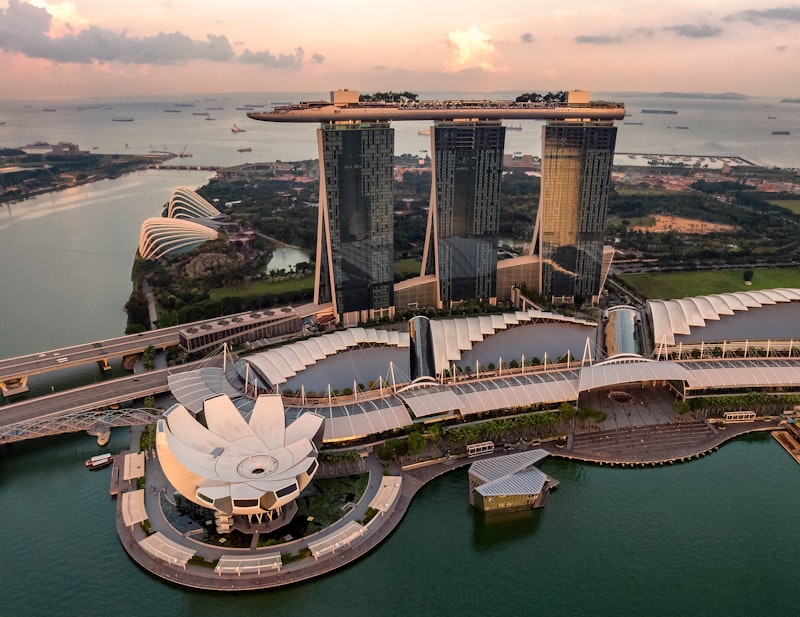
Singapore punches well above its size when it comes to mobile connectivity. Powered by Singtel, one of Asia's most advanced carriers, lamasim's Singapore eSIM delivers 4G and true 5G coverage across the entire city-state — from the gleaming terminals of Changi Airport the moment your plane lands, to the neon-lit streets of Chinatown, the Marina Bay waterfront, and the futuristic domes of Gardens by the Bay. Plans start from just $4.10 per week, a fraction of what international carrier roaming charges would cost for even a single day. Singapore is the gateway to Southeast Asia for millions of travelers each year, and staying connected here is non-negotiable. Whether you're navigating MRT transfers between Jewel Changi and Orchard Road, booking last-minute hawker centre recommendations, or joining a video call from your hotel in Clarke Quay, a reliable data connection keeps everything running smoothly. Singtel's 5G network covers over 95% of Singapore's landmass, meaning dead zones are virtually unheard of in this compact, tech-forward nation. Setup takes under 60 seconds — no ID submission, no physical SIM swap, no waiting at a counter. Hotspot is included on every plan, so you can share your connection with travel companions or keep a laptop online for remote work. For a destination this wired, lamasim makes sure your connectivity matches the city's own world-class standard.
Is Singapore eSIM Worth It?
Carrier roaming to Singapore through a home network typically costs between $10 and $15 per day for data — that's $70 to $105 for a single week. lamasim's Singapore eSIM starts at $4.10 per week, representing savings of up to 96% compared to standard international roaming rates. Even airport SIM card kiosks inside Changi typically charge SGD 15–25 (roughly $11–$18 USD) for a week of data, often with slower speeds or data caps. Beyond the price difference, the convenience is substantial. Singapore's Changi Airport is one of the world's busiest transit hubs, and many travelers are connecting onward to Bangkok, Jakarta, or Tokyo. With a lamasim eSIM already active on your phone, you're online the second you step off the plane — no queue, no kiosk, no fumbling with a physical SIM in the arrivals hall. The included hotspot feature is particularly valuable in Singapore, where co-working spaces and cafés are everywhere and sharing your connection with a colleague or travel partner is a common need. For any trip longer than a single day, the eSIM pays for itself before you've left the airport.
Best Networks in Singapore
lamasim's Singapore plan runs on Singtel, the country's oldest and largest telecommunications provider, and the carrier most travelers and locals consider the gold standard for coverage quality. Singtel launched commercial 5G standalone infrastructure in Singapore ahead of most carriers globally and today delivers sub-6GHz and mmWave 5G across virtually the entire island, including underground MRT stations, shopping malls, and even some stretches of the expressway tunnels. In practical terms, this means you'll see consistent 4G LTE speeds of 50–150 Mbps in most locations, with 5G capable devices frequently hitting 300–600 Mbps on the newer network bands. Connectivity remains strong across all of Singapore's major districts — Orchard Road, the CBD, Sentosa Island, Jurong East, and the heartland HDB towns. Changi Airport specifically has exceptional indoor coverage thanks to Singtel's distributed antenna systems installed across all four terminals and the Jewel complex. For the rare traveler venturing to Singapore's Southern Islands by ferry, coverage remains functional for basic browsing and messaging, though speeds are naturally reduced offshore.
How to Install eSIM in Singapore
Installing your lamasim Singapore eSIM takes under 60 seconds and works identically whether you complete it before departure or upon arrival at Changi. On iPhone (iOS 16 or later): Open Settings, tap Mobile Data, then Add eSIM. Choose Use QR Code and scan the QR code from your lamasim confirmation email. Your phone will download the Singtel profile automatically. Toggle the new plan to Active and set it as your default data line. The process takes about 30 seconds once the QR code is on screen. On Android (Samsung, Google Pixel, or other eSIM-compatible devices): Open Settings, navigate to Connections or Network & Internet, tap SIM Manager or Mobile Network, then Add eSIM. Scan the lamasim QR code. Accept the profile download and set the new SIM as your preferred data line. One Singapore-specific tip: if you're transiting through Changi and your layover is under three hours, activate the eSIM on your home Wi-Fi before you travel. The eSIM will connect to Singtel automatically the moment you land, with no action required on arrival. No ID or passport details are required at any point during setup.
Singapore Data Usage Tips
Singapore is one of the most data-intensive travel destinations in the world, simply because the city makes it easy to use your phone for everything. Here are practical tips to get the most from your lamasim plan. Use Google Maps offline for MRT navigation: Singapore's MRT map is complex, and downloading it offline before arrival saves data while still giving you accurate train times and exit numbers. Stream responsibly at hawker centres: Free Wi-Fi is available at many government-run food courts under the Wireless@SG network, but it requires registration. Your lamasim data is faster and requires no sign-up. Enable hotspot for co-working: Singapore has a thriving digital nomad scene around Tanjong Pagar and Bugis. The included hotspot means you can work from any café without needing their Wi-Fi password. Check Grab and Klook before every activity: Both apps require live data for real-time pricing on taxis and tour bookings. Having always-on data means you'll never miss a better fare. Monitor your data in the lamasim app: Singapore is a compact city, so a weekly plan is usually sufficient, but live usage tracking helps if you're video calling or uploading content heavily.
“I landed at Changi on a red-eye and my lamasim was already pulling full 5G before I even reached the baggage belt. Absolute magic for a transit hub.”
— Priya M., Melbourne
Frequently Asked Questions — Singapore eSIM
- Does the lamasim Singapore eSIM work at Changi Airport immediately on arrival?
- Yes. Singtel coverage inside all Changi Airport terminals is excellent, including Terminal 1, 2, 3, 4, and the Jewel complex. Your eSIM activates automatically once your device connects to Singtel's network, which typically happens within seconds of the plane doors opening.
- Can I use my Singapore eSIM to get a local phone number?
- lamasim's Singapore eSIM is a data-only plan, which covers all app-based calling through WhatsApp, FaceTime, Telegram, and similar services. It does not include a local Singapore phone number for traditional voice calls or SMS.
- Will my Singapore eSIM work on the MRT underground?
- Yes. Singtel's network has strong indoor and underground coverage throughout Singapore's MRT system, including deep underground stations like City Hall and Dhoby Ghaut interchange. You can use navigation apps and messaging without interruption between stations.
- Is 5G available on the lamasim Singapore plan?
- Yes, if your device is 5G-capable, it will connect to Singtel's 5G network automatically where coverage is available. Singtel's 5G footprint covers the vast majority of Singapore, so 5G connections are common in central districts, shopping malls, and business areas.
- How many devices can I share the connection with using the hotspot feature?
- Hotspot is included on all lamasim Singapore plans. The number of simultaneous connected devices depends on your phone's hardware, but most modern iPhones and Android devices support 5–10 hotspot connections at once. Speed is shared across connected devices.